
Inventory management plays an important role in keeping business operations smooth. Companies need to know what stock they have, where it is stored, and when they need to reorder products. Manual inventory processes can make this difficult, especially when stock levels change throughout the day.
Automated inventory management uses software, scanners, barcode systems, RFID, and other technologies to track and manage inventory with less manual work. It helps businesses maintain accurate stock records and get a clear view of inventory across different locations.
An automated inventory management system can record stock movements, update inventory levels, support reordering, and provide useful reports. This reduces the need for constant manual data entry and helps teams make faster decisions.
This guide explains how inventory management automation works, its key benefits, important features, suitable business sectors, and future trends. It also covers why automation has become important for better inventory control.
What Is Automated Inventory Management?
Automated inventory management is a system that uses software and technology to track, update, and control stock with minimal manual work. It replaces time-consuming tasks such as manual stock counting, spreadsheet updates, and repeated data entry.
An automated inventory management system records stock activities as they happen. When products are received, sold, transferred, or returned, the system updates inventory records automatically, giving businesses more accurate and timely stock information.
A warehouse management system can work alongside automated inventory tools to manage activities such as receiving, putaway, picking, packing, and stock movement within the warehouse. This connection helps businesses maintain better visibility of inventory from storage to dispatch.
This approach gives businesses a clearer view of stock levels, product locations, and inventory movement. It also helps reduce manual errors and supports more efficient inventory management across one or multiple locations.
How Do Handheld Barcode Scanners Work?
The process becomes easier to understand when it is broken into a few key steps, from capturing inventory data to updating stock records and generating useful reports.
1. Inventory Data Collection
The system collects inventory data through barcode scanners, RFID readers, POS systems, or other connected devices. Each product movement is recorded in the inventory system without the need for repeated manual entry.
2. Barcode and RFID Scanning
Barcode and RFID technology helps identify products quickly. Staff can scan items during receiving, picking, dispatch, transfers, or returns, and the system records the activity against the correct product.
3. Real-Time Stock Updates
Each completed transaction updates the stock quantity in the system. Teams can check the latest inventory status and reduce the risk of relying on outdated stock records.
4. Automated Reorder Alerts
The system can set minimum stock levels for products. When the quantity reaches the defined level, it can send an alert to the responsible team so they can arrange replenishment on time.
5. Inventory Tracking Across Locations
Businesses with multiple warehouses, stores, or branches can track stock from one platform. The system shows where products are stored and records transfers between different locations.
6. Reports and Inventory Insights
The system creates reports based on inventory activity and stock levels. Managers can use this information to identify fast-moving products, slow-moving stock, low inventory, and other areas that need attention.
Key Benefits of an Automated Inventory Management System
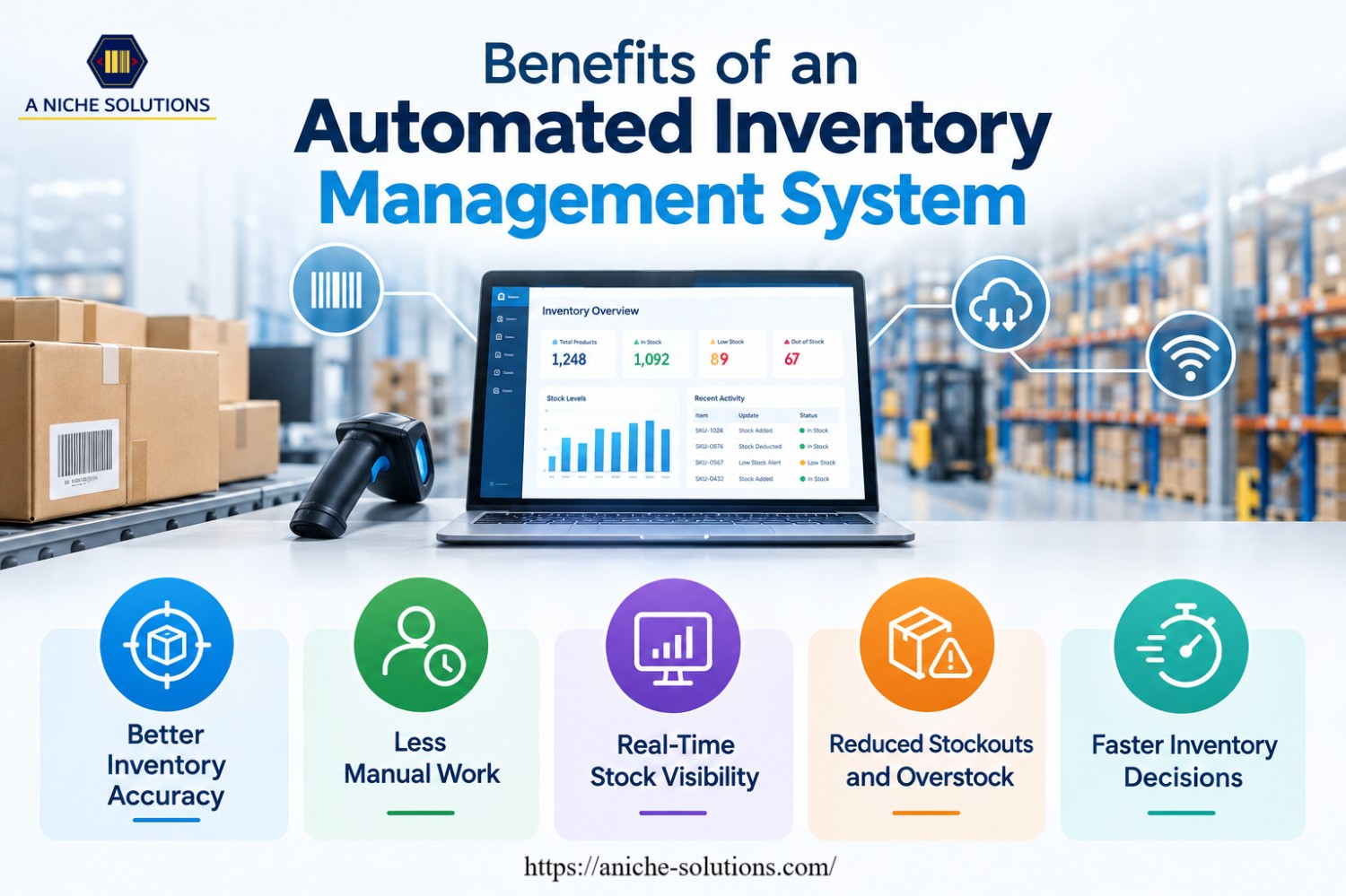
An automated inventory management system helps businesses manage stock with greater accuracy and less manual effort. Here are five key benefits of using inventory management automation.
Better Inventory Accuracy
Automation reduces errors caused by manual data entry and stock updates. Every scanned or recorded transaction updates the inventory data, which helps businesses maintain more accurate stock records.
Less Manual Work
Routine tasks such as stock updates, inventory counting, and reorder tracking require less manual effort. Employees can spend more time on other important warehouse and business activities.
Real-Time Stock Visibility
Businesses can check current stock levels and product movement through the system. This makes it easier to know what is available, what has been sold, and which products need attention.
Reduced Stockouts and Overstock
Automated stock tracking helps businesses identify low inventory before products run out. It also provides better control over purchasing, which can help reduce excess stock and unnecessary storage costs.
Faster Inventory Decisions
Accurate inventory data and automated reports give managers the information they need to make faster decisions. They can review stock levels, product movement, and replenishment needs from one system.
 Businesses That Benefit from Automated Inventory Management
Automated inventory management can support businesses that handle regular stock movement, multiple products, or high order volumes. The system helps these businesses maintain accurate stock records and manage daily inventory tasks with less manual work.
Retail Businesses
Retail stores can use automation to track products across shelves, stockrooms, and multiple outlets. Real-time stock updates also help staff identify products that need replenishment.
Warehouses and Distribution Centers
Warehouses handle large volumes of incoming, stored, and outgoing products. An automated inventory management system helps track product quantities, locations, transfers, and dispatches.
Manufacturing Businesses
Manufacturers can use inventory automation to manage raw materials, components, work-in-progress items, and finished goods. Accurate stock data helps teams plan production and maintain the required materials.
E-commerce Businesses
Online businesses need accurate inventory information to process customer orders correctly. Automation helps keep stock levels updated as orders are placed, products are shipped, or items are returned.
Wholesale and Distribution Businesses
Wholesalers and distributors often manage large product ranges and supply goods to different customers or locations. Inventory management automation helps them track stock movement and maintain better control over replenishment.
Key Features of Inventory Management Automation
Inventory management automation combines software, tracking tools, and business data to simplify daily stock operations. The right features help businesses maintain accurate records and gain better control over inventory.
Real-Time Inventory Tracking
The system updates stock records whenever products are received, sold, transferred, or returned. This gives businesses a current view of available inventory.
Barcode and RFID Integration
Barcode scanners, RFID readers, and RFID printers can work together to support product identification and inventory tracking. RFID printers can print and encode RFID labels that businesses use to identify and track products.
Automated Reordering
Businesses can set minimum stock levels for different products. When inventory reaches the set limit, the system can generate alerts or support the reorder process.
Multi-Location Inventory Management
Businesses with multiple warehouses, stores, or branches can manage inventory from one system. Teams can check stock levels and product movement across different locations.
Inventory Reports and Analytics
Automated reports provide information about stock levels, sales, product movement, and inventory trends. Managers can use these reports to make better purchasing and stock control decisions.
Future Trends in Automated Inventory Management
The future of automated inventory management will focus on smarter systems, better connectivity, and faster decision-making. Businesses are adopting new technologies that can reduce manual tasks and provide more accurate inventory information.
Artificial intelligence (AI) is expected to play a larger role in inventory management. AI-based systems can study sales patterns, stock movement, and demand data to help businesses plan inventory levels and reduce the risk of stockouts or excess stock.
IoT-enabled devices can provide continuous updates about inventory and warehouse activities. Connected scanners, sensors, and tracking devices can share data with inventory systems, giving businesses better visibility into stock movement and storage conditions.
Predictive analytics will also become more common. Businesses can use historical sales and inventory data to estimate future demand and plan purchasing decisions. This can help maintain the right amount of stock based on expected business needs.
Cloud-based inventory management will continue to support businesses with multiple locations. Teams can access inventory data from different sites through a central platform, making it easier to coordinate stock and monitor operations.
Robotics and warehouse automation will further reduce repetitive inventory tasks. Automated systems can support activities such as picking, sorting, counting, and moving products, allowing employees to focus on tasks that require more attention and decision-making.
Why Automation Is Important for Inventory Control
Inventory control requires accurate information about stock levels, product movement, and replenishment needs. Manual processes can make this difficult when businesses handle large product volumes or operate across multiple locations.
Inventory management automation gives businesses better control by keeping stock records updated as transactions take place. Teams can quickly check available quantities and identify products that need attention.
Automation also reduces dependence on manual data entry and repeated stock checks. This can lower the risk of errors and save valuable time for employees.
Better inventory control can also help businesses avoid common problems such as stockouts, excess inventory, inaccurate records, and delayed replenishment. With reliable inventory data, managers can make better purchasing and stock management decisions.
Streamline Inventory Management with A’Niche Solutions
Managing inventory becomes more difficult when businesses handle large product volumes, multiple locations, and frequent stock movements. A reliable technology solution can reduce manual work and give teams better control over daily inventory operations.
A’Niche Solutions provides inventory management solutions that help businesses track stock, monitor product movement, and improve inventory visibility. The right combination of barcode scanners, RFID technology, software, and other tracking tools can support faster and more accurate inventory processes.
Businesses can use these solutions to record stock movements, reduce manual data entry, monitor inventory levels, and improve the accuracy of their records. Better visibility also helps teams identify low-stock items and take action before they affect regular operations.
With inventory management automation, businesses can build a more organized inventory process that supports day-to-day operations as well as future growth.
FAQ
1. Is automated inventory management suitable for small businesses?
Yes. Small businesses can use automation to reduce manual stock work, maintain accurate records, and manage inventory as the business grows.
2. How much does an automated inventory management system cost?
The cost depends on factors such as the number of users, locations, products, software features, and hardware required. Businesses should select a system based on their actual inventory needs.
3. Can automated inventory management work with existing business software?
Yes. Many inventory systems can integrate with platforms such as ERP, accounting, e-commerce, POS, and warehouse management software to keep business data connected.
4. What hardware is needed for inventory automation?
Common hardware includes barcode scanners, RFID readers, label printers, mobile computers, and other data-capture devices. The required hardware depends on the type of inventory operation.
5. How long does it take to implement inventory automation?
Implementation time varies based on the size of the business, number of locations, system complexity, data migration, and integration requirements. A simple setup may take less time than a multi-location operation.
Conclusion
Automated inventory management gives businesses a practical way to manage stock with less manual effort and better accuracy. It keeps inventory records updated, improves stock visibility, and helps teams respond to replenishment needs on time.
An automated inventory management system can also support businesses as their product volumes, locations, and operations grow. With the right software and tracking technology, businesses can build a more reliable inventory process and maintain better control over their stock.